Linking the Toolpath: Pass Connections, Corners, and Retract Jumps
The biggest difference between high-speed and conventional machining is often not the cut itself but how the path is linked. Link it badly and the machine keeps accelerating and decelerating on the spot, so a high-speed machine never runs at high speed. This guide covers pass connections, corner handling, and saving time on retract jumps.
1. Bad Linking Wastes a High-Speed Machine
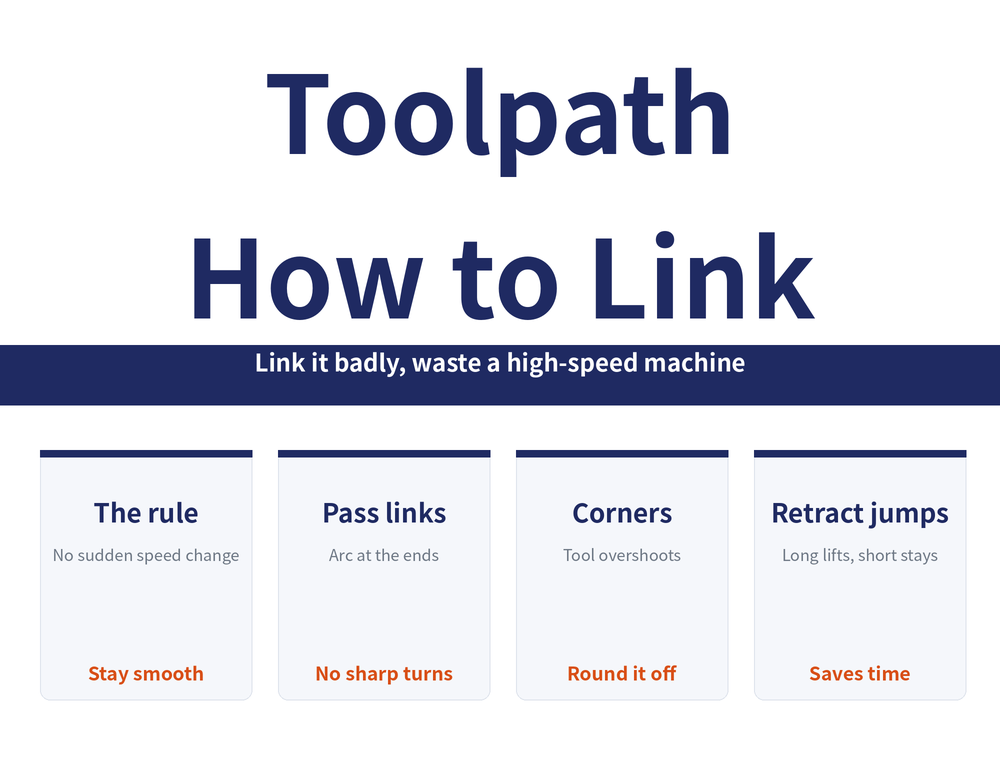
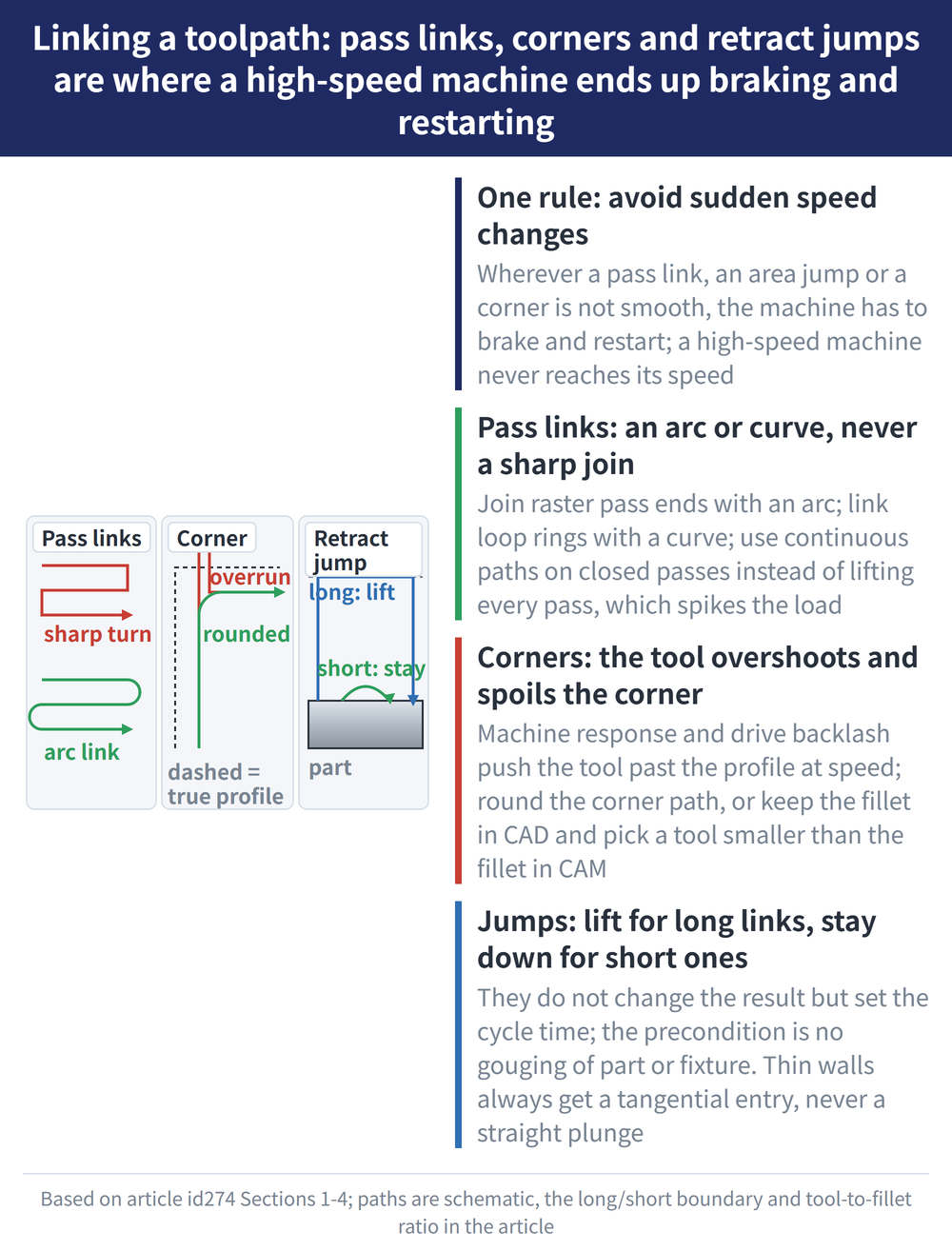
The whole rule for high-speed toolpaths is one line: avoid sudden speed changes; keep the tool moving smoothly. Between passes, jumping between areas, at corners — wherever the link is not smooth, the machine has to brake and restart, accelerating and decelerating over and over. That is the biggest difference from conventional machining: link it badly and your high-speed machine never reaches the speed it was built for. The three spots below — pass links, corners, and retract jumps — are the easiest to get wrong and the most worth getting right. For how the tool first enters the material (lead-in and plunge), see choosing the plunge method.
2. How to Link One Pass to the Next
Big flats and flat profiles use raster passes (back-and-forth). Conventional machining turns straight around at the pass end — brake and U-turn, hurting both accuracy and efficiency. High-speed work links smoothly:
| Case | How to link |
|---|---|
| Raster (flat) | Join pass ends with an arc, not a sharp turn; at small stepovers add an inside/outside transition |
| Loop (surface, pocket) | Link ring to ring with a curve, not a hard straight line |
| Closed passes | Use a continuous path or a smooth link — don't lift and drop every pass (it spikes the load) |
In a line: wherever an arc or curve can join it, don't force a sharp corner or straight join.
3. Don't Let the Tool "Overshoot" at Corners
When the part has square corners, the path must follow them. But machine response and drive backlash can make the tool overshoot past the real profile at speed, spoiling the corner and distorting the shape (tests show a windmill-like distortion). Two fixes:
| Fix | How |
|---|---|
| Round the corner | Let the tool arc around the sharp corner until tangent to the next segment, then carry on; mainstream CNCs (e.g. FANUC) also support corner-mode changes |
| Keep the fillet + small tool | Don't drop the fillet in CAD; in CAM pick a tool radius under about 70% of the fillet radius so the corner becomes a smooth arc and the tool never turns sharply |
4. Retract Jumps Are About Saving Time
When the tool jumps between areas, or links paths within one area, links split into long and short (about 10mm is used here as an example boundary). A long link lifts the tool first, then moves; a short link can stay down and go straight across. These don't change the result but directly set the cycle time — useful for quoting and lead times:
| Type | Common methods |
|---|---|
| Long link (far) | Safe plane, incremental, or skim; for efficiency, "skim" is common |
| Short link (near) | On-surface, step-down, straight, or arc; for efficiency, "on-surface" is common |
The precondition: whichever you pick, make sure the tool clears the part and fixture without gouging — this is not relaxed for speed. And thin-wall parts need special care: always enter tangentially, never plunge straight down, or the thin wall gets pushed out of shape.
5. Frequently Asked Questions (FAQ)
Q: What is the overall rule for high-speed path linking?
Avoid sudden speed changes and keep the tool smooth. Wherever pass links, corners or jumps are not smooth, the machine brakes and restarts repeatedly, so even a high-speed machine can't run fast.
Q: How should a raster pass be linked at its end?
With an arc, not a sharp turn like conventional machining (a brake-and-U-turn that hurts accuracy and efficiency). Surface loops link ring-to-ring with a curve, and closed passes use a continuous or smooth link rather than lifting every pass.
Q: How do I stop the tool overshooting and distorting corners?
Two ways: round the corner so the tool arcs to tangency with the next segment before cutting on (FANUC and others support this); or keep the fillet in CAD and pick a tool radius under about 70% of the fillet radius so the corner becomes a smooth arc.
Q: What is the difference between long and short links?
It depends on the jump distance (about 10mm is used here as an example boundary). A long link lifts the tool first (skim is common for efficiency); a short link stays down and goes across (on-surface is common). Neither may gouge, and thin walls must be entered tangentially.
This article is part of Milling Toolpaths: The Complete Guide - Roughing Strategy, Where to Plunge, and Choosing a Finishing Pattern; that guide shows how the whole topic fits together.
Published: 2026-08-12 | Last updated: 2026-08-12