Geometric Tolerance Symbols Chart: All 13 Symbols and How to Read a Feature Control Frame
A rectangular box appears on the customer drawing holding a symbol you cannot place, a number and a letter — that is a feature control frame. This guide lists all 13 geometric tolerance symbols in one table (name, symbol, what it controls), then explains how the three compartments of the frame are filled, how the meaning changes with where the leader arrow lands, the four ways to place a datum triangle, and which compartment the Ⓜ maximum material condition modifier belongs in. To look up a symbol, go straight to the first table.
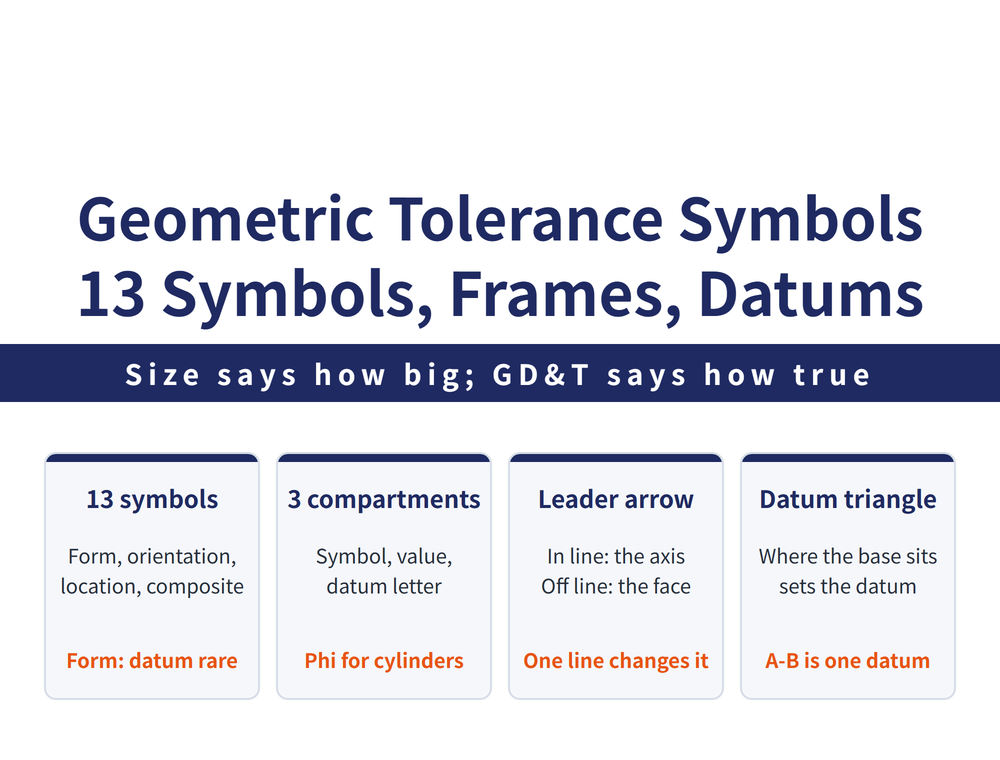
Dimensional tolerance governs how big, geometric tolerance governs how true: a bore can measure in spec in every direction, yet if it is tilted or off position the shaft still will not go in. For what geometric tolerance actually controls, see What Is Geometric Tolerance; this page deals only with how to read the frame on the drawing.
1. All 13 Geometric Tolerance Symbols at a Glance
| Category | Name | Symbol | What it controls |
|---|---|---|---|
| Form | Straightness | ⏤ | How straight a line on a surface, or the centre axis of a body of revolution, is |
| Form | Flatness | ⏥ | How flat a single surface is |
| Form | Roundness | ○ | How round a cylinder, cone or sphere is |
| Form | Cylindricity | ⌭ | Roundness, straightness and parallelism of a cylindrical surface combined |
| Form | Profile of a line | ⌒ | The profile shape at every point along a curved line |
| Form | Profile of a surface | ⌓ | The profile shape at every point over a curved surface |
| Orientation | Parallelism | ∥ | How parallel a line or plane is to the datum |
| Orientation | Perpendicularity | ⊥ | How perpendicular a line or plane is to the datum |
| Orientation | Angularity | ∠ | The error in holding a line or plane at a specified angle to the datum |
| Location | Position | ⊕ | How far a feature departs from its true position |
| Location | Concentricity | ◎ | How far the centre of a circle or cylinder departs from the datum centre |
| Location | Symmetry | ⌯ | How far a feature departs from the true position of the symmetry datum |
| Composite | Runout | ↗ | The maximum variation permitted during one full rotation about the datum axis |
2. How the Four Categories Split: Whether the Frame Carries a Datum Letter
The four categories divide like this: form looks only at the feature itself and needs no datum (profile of a line and profile of a surface are the exception: they may be used alone or with a datum); orientation and location are both relationships between two features, so a datum is mandatory; runout is the composite item, measured as the largest variation over one full turn. Whether a datum letter appears in the frame follows directly from that split.
“Location” in this table is the narrow sense: position, concentricity and symmetry only. What Is Geometric Tolerance uses “location tolerances” in the broad sense for seven items (orientation, position and runout together). The two pages give different counts because they cover different ranges, not because one of them is wrong.
The symbols have a specified size of their own: the size and line thickness of the feature control frame and of the symbols are proportional to the height of the dimension figures. When the drawing is scaled, the symbols scale with it — they are not a fixed size.
3. The Three Compartments of a Feature Control Frame
A feature control frame is a rectangle drawn in a thin continuous line, about twice the height of the dimension figures, divided into compartments. Three things are entered, from left to right:
| Order | What goes in | Watch for |
|---|---|---|
| ① | The geometric tolerance symbol | One of the 13 in the table above |
| ② | The tolerance value | When the tolerance zone is circular or cylindrical, the value is prefixed with φ |
| ③ | The datum letter | Present only when a datum is required; form items usually have no such compartment (profile may carry a datum) |
So ∥ 0.02 A reads as "parallelism tolerance 0.02 with respect to datum A"; ⌭ 0.02 reads as "cylindricity tolerance 0.02", with no datum letter because it is a form item; and ⊕ φ0.1 reads as "position tolerance, with a tolerance zone that is a cylinder of diameter 0.1" (when it controls the axis of a hole or shaft). Whether that φ is there matters — it decides whether the tolerance zone is a circle (or cylinder) or the distance between two parallel lines. For what the zone of each of the 13 symbols looks like and which ones take φ, see What the Feature Control Frame Actually Carves Out in Space.
4. Where the Leader Arrow Lands Changes What Is Controlled
With the same frame, a different landing point for the leader arrow means a completely different controlled feature. This is the single easiest thing to misread on a drawing:
| The arrow lands on | What is controlled |
|---|---|
| An outline or its extension line, not aligned with the dimension line | That outline or surface itself (not permitted with maximum material condition) |
| An outline or its extension line, aligned with the dimension line | The centre axis of the feature that dimension applies to; the arrow may share the dimension line |
| A centre line | All geometric features taking that centre line as their axis |
It all turns on one thing: alignment with the dimension line. Aligned, and the centre axis is controlled; not aligned, and the surface is. Measurement and acceptance differ completely between the two.
5. Four Ways to Place the Datum Triangle
A datum is marked with a filled or open equilateral triangle, and where the base of the triangle sits decides what the datum is:
| Position of the base | The datum is |
|---|---|
| On an outline or its extension line, not aligned with the dimension line | That outline or surface itself |
| On a centre line | The common centre axis of all features taking that centre line as their axis |
| Aligned with a dimension line | The centre line of the feature that dimension applies to; the triangle may replace the arrowhead at the end of the dimension line |
| Far away from the frame | Identified by a boxed capital letter, with the letter entered in the rightmost compartment of the frame |
When there is more than one datum: letters with no order of precedence take no hyphen between them; when two datum planes or datum lines combine into a single datum, they are joined with a short hyphen and written A-B. That hyphen changes the meaning substantially.
6. What a Notation Like 0.1/100 Means
The tolerance value is sometimes not a single number but a combination separated by a slash. That is a restricted-length tolerance:
| Notation | Meaning |
|---|---|
0.1/100 | Within any 100 units of length in any direction, the error must not exceed 0.1 unit |
0.1/0.05/100 | Tolerance over the whole feature is 0.1, with the added restriction that within any 100 units of length in any direction it must not exceed 0.05 unit |
The point of writing it this way is to stop the error piling up in one short stretch. Spreading 0.1 mm evenly across a surface one metre long is one thing; concentrating all of it inside a single 100 mm is another, and the second one causes trouble at assembly.
7. Which Compartment Ⓜ Maximum Material Condition Goes In
Maximum material condition (MMC) is the limit of size at which the part contains the most material — the largest shaft, the smallest hole; for why it lets a geometric tolerance open up, see sections 6 and 7 of What Is Geometric Tolerance. This section deals with one thing only: which compartment Ⓜ goes in.
There are two places the modifier can be added, and they mean different things: applied to the tolerance value, Ⓜ goes after the tolerance value; applied to the datum feature, Ⓜ goes after the datum letter. Taking concentricity as the example, the three frame arrangements for Ⓜ are ◎ φ0.04 Ⓜ, ◎ φ0.04 A Ⓜ and ◎ φ0.04 Ⓜ A Ⓜ — Ⓜ in a different compartment means something different, so count carefully which compartment each Ⓜ sits in. This guide does not go into what each of the three arrangements controls; for an actual drawing, follow the standard it cites or the customer’s explanation.
8. Why 13 Symbols and Not 17 Items
A list of 17 items but only 13 symbols is normal: the four extra are three definitions plus the Ⓜ modifier, none of which ever had a frame symbol, so there is nothing to look up for them; each is explained in section 5 of What Is Geometric Tolerance.
9. How to Set Tolerance Values, and What the Symbols Here Are Based On
What value to set for the tolerance itself is a separate question. For dimensional tolerance values, see Hole Tolerance Chart and Shaft Tolerance Chart. For geometric tolerance values, set them from functional requirements. Do not tighten them for insurance — the tighter the tolerance, the faster machining and inspection costs climb. Where the drawing shows no geometric tolerance, the general tolerance class noted near the title block applies; see section 8 of What Is Geometric Tolerance.
The symbols and names here are not checked clause by clause against a specific edition of a standard (ISO 1101 or the corresponding CNS), so no standard number is cited in this article. For production drawings and acceptance, follow the original text of the drafting standard your company has adopted.
FAQ
Q: What changes when the leader arrow lines up with the dimension line?
Lined up with the dimension line, the frame controls the axis of the feature that dimension describes; not lined up, it controls that outline or surface itself. The same frame is then measured and judged in a completely different way.
Q: Does it matter whether the number in the frame is prefixed with φ?
It matters a great deal. With φ, the tolerance zone is a circle or a cylinder — φ0.1 is a cylindrical space 0.1 in diameter. Without φ, the tolerance zone is the distance between two parallel lines or two parallel planes. The same number allows a different range depending on the prefix, and it is measured differently too.
Q: Do datum letters written A B mean the same as A-B?
No. Letters with no hyphen between them mean several datums with no order of precedence. Joined with a short hyphen as A-B, they mean a single datum formed by combining two datum planes or datum lines. Do not overlook the hyphen when reading a drawing.
Q: What does 0.1/100 in a frame mean?
It is a tolerance over a specified length: within any 100 units of length in any direction, the error must not exceed 0.1 units, which stops the error from piling up in one short stretch. Written as 0.1/0.05/100, it means 0.1 overall with an extra limit of 0.05 within any 100 units.
Published: 2026-08-28 | Last updated: 2026-10-21