Edge Finders: How to Choose and Use Mechanical, Electronic and 3D Types
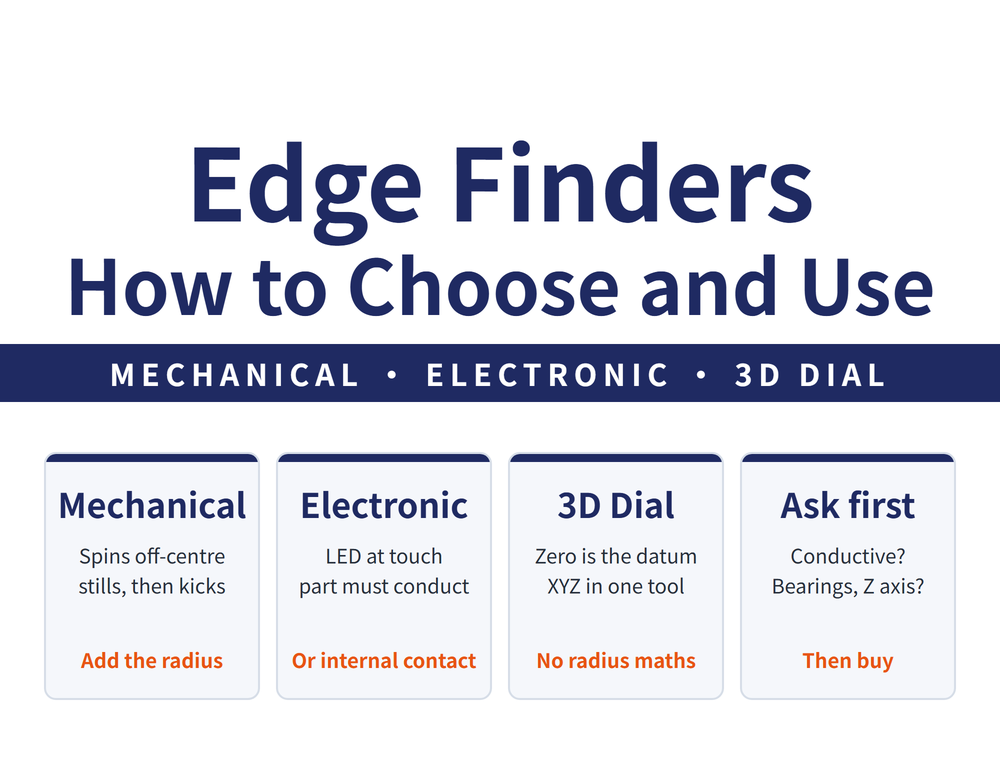
An edge finder mounts in the spindle and locates the spindle centre against a workpiece edge or hole centre, so you can set the work offset. Three common types: a mechanical edge finder whose off-centre stylus spins until it appears still and then kicks sideways, an electronic type that lights an LED the instant the stylus touches, and a 3D dial type whose needle reads zero at the edge. This guide covers how the three differ, how to operate the mechanical and electronic types, the four questions to ask before buying (is the workpiece conductive, does the spindle run ceramic bearings, do you need Z, do you need to compensate the radius) and the mistakes seen most often. All accuracy figures are manufacturer catalogue examples; check the catalogue of the unit you actually use.
1. What an edge finder does: putting the spindle centre on the workpiece edge
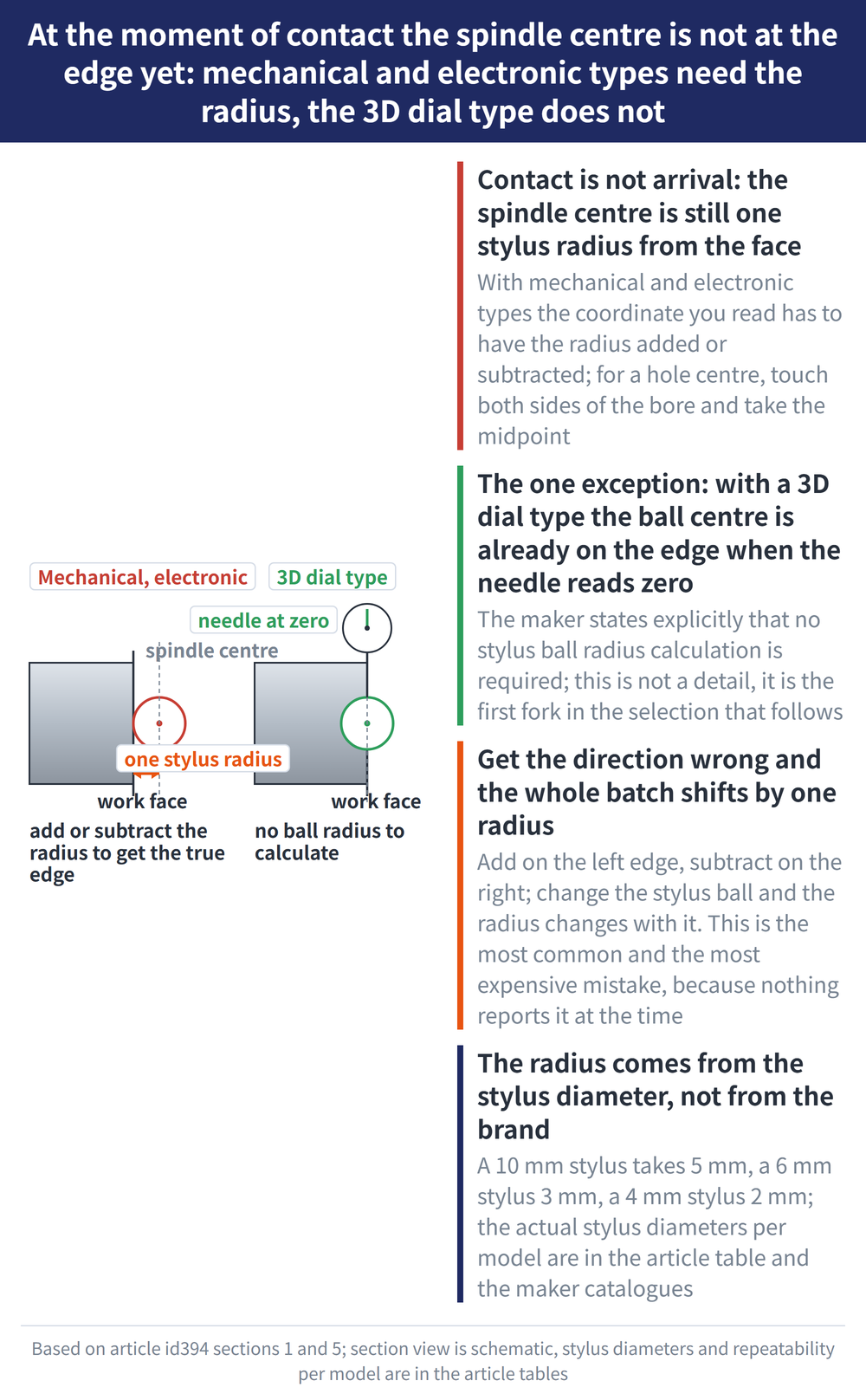
Before cutting, the machine has to know where the workpiece is, which means setting the work offset. An edge finder is the tool that finds that origin: it sits in the spindle and its stylus is brought against the side of the part. At the moment of contact the spindle centre is still one stylus radius away from the face, so with most edge finders the coordinate you read has to have the radius added or subtracted before it is the true edge. For a hole centre, touch both walls and take the midpoint.
The one exception is the 3D dial type: when the needle reads zero the ball centre is already on the edge, and the manufacturer states that no stylus ball radius calculation is required. That difference is the first fork in the selection below. Once the origin is set, the length and diameter differences between tools are handled separately by offsets: see Tool Length Offset and Cutter Radius Compensation on CNC Mills: Sizes Off After a Tool Change or Regrind? How to Set G43 and G41/G42.
2. The three types at a glance
| Type | How contact is detected | Workpiece must conduct? | Measures Z? | Radius compensation? | Catalogue repeatability example |
|---|---|---|---|---|---|
| Mechanical (incl. ceramic and rotary) | Spinning stylus goes from wobbling to apparently still, then slides off to one side | No | No, XY only | Yes | Within 3 μm, vertical machines (BIG ACCU CENTER) |
| Electronic, conductive contact | Current flows between stylus and workpiece, LED lights or buzzer sounds | Yes | Shank types with a Z float mechanism can | Yes | ±2 μm (NIKKEN UMT); the Touch Point page states no repeatability figure |
| Electronic, internal contact | Contact inside the mechanism triggers, LED lights or buzzer sounds | No | Yes | Yes | ±1 μm, 2σ (BIG POINT MASTER PRO); ±2 μm (NIKKEN UMTX) |
| 3D dial type | Dial needle reads zero | No | Yes, one tool for XYZ | No | Within 0.01 mm (BIG 3D MASTER RED) |
Two variants sit under the mechanical type: the ceramic edge finder is all-ceramic and non-magnetic, for jobs where residual magnetism matters; the rotary edge finder is given an additional rust-prevention treatment. All three are operated the same way and share the same ø10 shank.
3. Using a mechanical edge finder: four steps
These are the steps from the BIG ACCU CENTER catalogue; mechanical edge finders from other makers work on the same principle:
| Step | What to do |
|---|---|
| 1 Clamp | Hold the ø10 straight shank in a milling chuck or precision collet chuck |
| 2 Offset and spin | Push the stylus lightly off centre with a finger, then run the spindle at 400 to 600 rpm |
| 3 Approach | Bring the stylus to the workpiece face; its runout fades until it appears to stand still |
| 4 Fine feed and read | Feed on more finely; the stylus starts sliding steadily in one direction. That position plus the stylus radius (5 mm for a ø10 stylus, 2 mm for ø4) is the datum |
Two things to keep in mind: the maker states it is not suitable for horizontal machines, and the 3 μm repeatability applies to vertical use; stay inside the catalogue speed range, because too fast or too slow makes both signals, the standstill and the kick, harder to see. For the holder side see Collet System Comparison and Selection.
4. Electronic edge finders: how to use and how to choose
Use is simpler than the mechanical type: with the spindle stopped, approach the measuring face slowly; the instant the LED lights (shank types usually beep as well) is the contact point. Read the coordinate, then add the stylus radius. NIKKEN's catalogue lists stylus diameters of ø6 and ø4, so the radius to add is 3 mm and 2 mm.
Ask four questions before choosing:
| Question | Why | Answer |
|---|---|---|
| Does the workpiece conduct? | A conductive-contact type only lights when current flows between stylus and part; plastics and bakelite cannot be measured | Non-conductive parts need an internal-contact type (BIG PRO series, NIKKEN UMTX) |
| Does the spindle run ceramic bearings? | Ceramic bearings break the electrical path between spindle and machine, so the conductive type fails too (noted in the BIG catalogue) | Internal-contact type |
| Has the holder had RP anti-rust treatment? | RP-treated holders do not conduct, so a conductive edge finder held in one cannot detect contact (NIKKEN note) | Change the holder, or use an internal-contact type |
| Do you need Z? | Most straight-shank units have no Z float; touching downward is a hard collision | Shank type with a Z float mechanism, or a 3D dial type |
Two catalogue figures show why "approach slowly" is not a courtesy. Response delay: BIG notes a lag of roughly 5 μm in XY and 2 μm in Z between the stylus touching the face and the LED lighting; NIKKEN quotes a system delay within 0.01 mm for its internal-contact type. Over-travel protection: BIG allows XY ±12 mm and Z 5 mm, NIKKEN XY ±7 mm and Z 3 mm, and on overrun the ball lifts off its seat against a spring. That is a safety feature, not a measuring range, and it will not save a rapid feed.
5. The 3D dial type: one tool for XYZ, no radius to add
The 3D dial type carries a dial indicator above the stylus; when the stylus touches the edge the needle reads zero and that is the datum. The maker states explicitly that no stylus ball radius calculation is needed, and non-conductive parts can be measured. BIG 3D MASTER RED catalogue values: minimum graduation 0.01 mm, repeatability within 0.01 mm, XY travel ±4 mm, Z travel 4 mm; the Haimer 3D Sensor listed in the Ann Way catalogue shows an accuracy of 0.01 mm.
It suits shops that change parts often, need both hole centres and a Z zero, and run mixed materials. The trade-off is that accuracy is read off a needle, an order of magnitude coarser than the μm-class electronic types, and the slender stylus needs care against impact. For reading the dial and posture errors see Dial Indicator and Test Indicator Guide.
6. Selection summary and four common mistakes
In one line: XY edges only, metal parts, tight budget, mechanical; μm-class repeatability on conductive parts, conductive-contact electronic; workpiece or spindle not conductive, internal-contact electronic; XYZ in one tool with no radius maths, 3D dial type.
| Common mistake | Consequence and fix |
|---|---|
| Forgetting the radius, or applying it the wrong way | The whole batch shifts by one radius. Add on the left edge, subtract on the right; if you change the stylus ball (BIG's ST28 series runs 1 to 4 mm) the radius changes with it |
| Conductive-contact type on a non-conductive part | The LED never lights, the operator assumes no contact and keeps feeding, and the stylus is crashed. Check the material first |
| Fitting a longer stylus without re-checking | BIG notes that repeatability depends on stylus length; a longer stylus is more compliant and the μm-class figure no longer holds |
| Mechanical type on a horizontal machine | Listed as unsuitable by the maker; the stylus relies on gravity working with the offset, and the signal is unreliable lying sideways |
One last reminder: an edge finder tells you where the workpiece is, not where the tool is. Tool runout is a separate error source, covered in Tool Runout (TIR): Effects, Measurement and Reduction.
7. Frequently Asked Questions (FAQ)
Q: Once the edge finder touches the part, how do I work out the coordinate?
With mechanical and electronic types the spindle centre is still one stylus radius from the face at contact, so add or subtract the radius (5 mm for a ø10 stylus, 3 mm for ø6, 2 mm for ø4). With a 3D dial type the ball centre is already on the edge when the needle reads zero, so nothing is added.
Q: Can I use an electronic edge finder on plastic or bakelite?
Not a conductive-contact type; it only lights when current flows between stylus and part. Choose an internal-contact type (the trigger sits inside the mechanism, e.g. BIG PRO series or NIKKEN UMTX) or a 3D dial type, neither of which needs a conductive workpiece.
Q: How fast should the spindle turn with a mechanical edge finder?
BIG's catalogue gives 400 to 600 rpm, after nudging the stylus off centre by hand. As it nears the part the wobble fades until it looks still; fine-feed until it slides off to one side, and that position plus the stylus radius is the datum. This type is for vertical machines only.
Q: Is the catalogue repeatability the same as measuring accuracy?
No. Repeatability is how consistently the same point reads on repeat; stylus length, contact pressure and LED response delay all affect it. To verify absolute accuracy, measure a gauge block or a reference block of known size and compare, following the comparison principle in the geometric tolerance measuring guide.
Last updated: 2026-10-28
This article is part of Precision Measurement Complete Guide: Ask What You Are Measuring First, Then Pick the Instrument; that guide shows how the whole topic fits together.