How Fast to Run: The High Efficiency Range and Tool Life Factors
Faster is not always better, and slower is not always cheaper. As speed rises, output goes up but so does tool consumption, and adding the curves together produces one cost minimum and one output peak. The band between those two points is the high efficiency range, and that is where you should be working. There is a second point that often gets missed: every recommended cutting condition is tied to a baseline tool life, and because makers use different baselines, their factor tables are not interchangeable.
1. Three Things Move at Once When Speed Goes Up
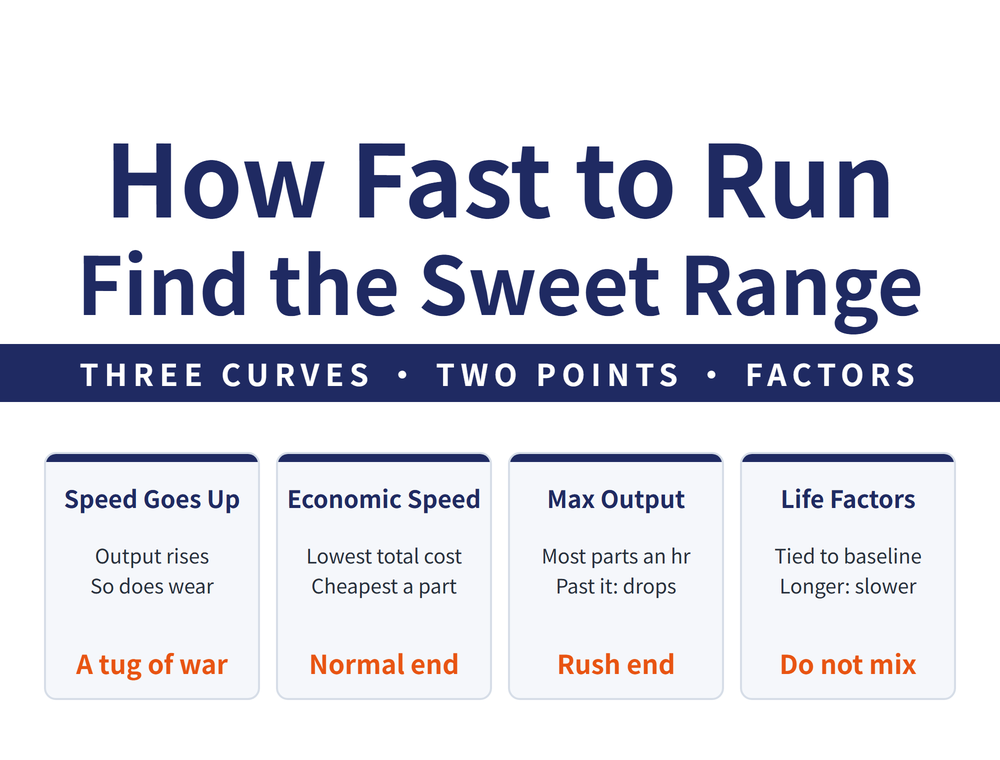
To understand how fast to run, first look at the three curves that speed affects at the same time.
| Item | When speed rises | Effect on cost per part |
|---|---|---|
| Fixed cost | Unaffected | Flat |
| Parts per hour | Output increases | Falls |
| Tool cost | More tooling consumed | Rises |
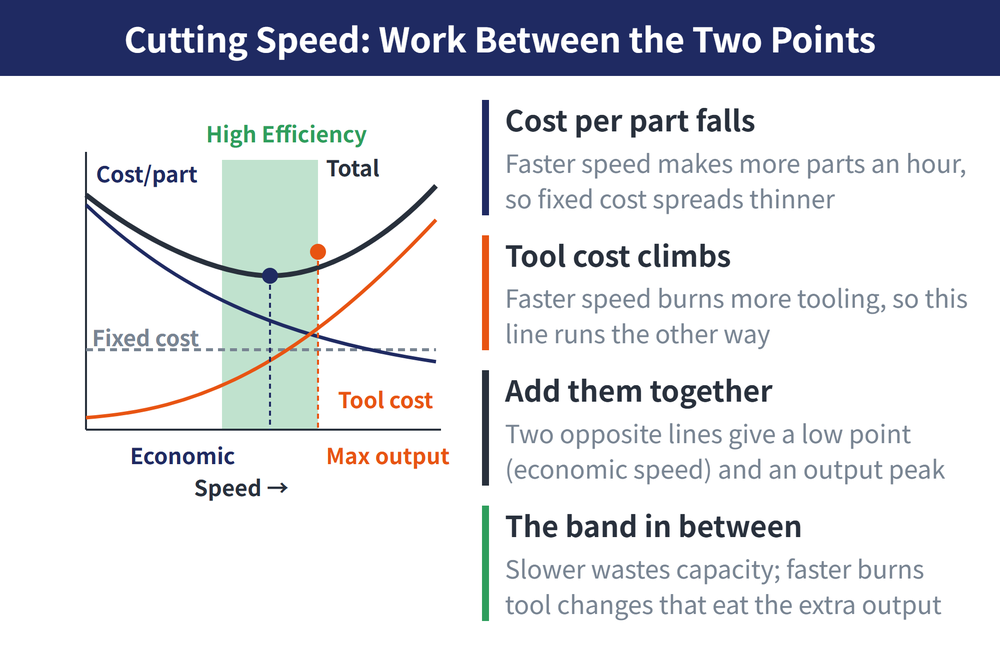
Add all three and you get the total production cost curve. It is not monotonic: it falls first, then rises, with a minimum in between.
2. Two Key Speeds and the Band Between Them
Moving up the speed axis, three things happen in order:
| Position | Meaning |
|---|---|
| Lowest point of the total cost curve | Economic cutting speed: cheapest per part |
| The point of highest output | Maximum production speed: most parts per hour |
| Beyond that | Tool change time dominates and productivity reverses downward |
The stretch between the economic cutting speed and the maximum production speed is the high efficiency range, and that is where you should operate. Slower than that wastes capacity; faster than that burns tool changes fast enough to give back the extra output.
This is the same subject as setting tool life by formula, seen from two directions: the formulas tell you how to calculate it, this curve tells you how to see it and explain it. For the comparison, see [How Long Should Tool Life Be: Lowest Cost and Maximum Output Give Different Answers].
3. Recommended Conditions Come With a Baseline Life Attached
This is an easy trap. The recommended cutting conditions in a catalogue are not free-standing; they assume a particular tool life. In the Sandvik technical training handbook, the recommended conditions are based on a 15 minute tool life. To work to a different life, multiply the recommended speed by the corresponding factor.
| Tool life (minutes) | 10 | 15 | 20 | 25 | 30 | 45 | 60 |
|---|---|---|---|---|---|---|---|
| Speed factor | 1.11 | 1.0 (baseline) | 0.93 | 0.88 | 0.84 | 0.75 | 0.70 |
How to read it: to make a tool last 60 minutes, multiply the speed by 0.70, which is 30% slower than the recommended value. Going the other way, to raise the metal removal rate you move toward the left of the table, trading shortened tool life for output. That is an explicit exchange, not a free gain.
4. Tables From Different Makers Cannot Be Mixed
Different brands use different baseline lives. The table above is based on 15 minutes, but some manufacturers publish tables based on 20 minutes. When the baseline differs, the meaning of the factor differs too, so taking one maker's factor and applying it to another maker's recommended speed is wrong in two places at once: the baseline life is wrong, and the relationship between speed and life for that particular tool is wrong as well.
Use the table that belongs to the tool you are running. Before reading a factor, confirm what baseline life that document assumes.
5. Confirm the System Can Take It First
The high efficiency range is a theoretical profitable band. Whether you can actually reach it depends on the whole system: machine rigidity, clamping stability, tool quality and the behaviour of the workpiece material. If any of these falls short, pushing the speed up gives chatter, chipping or parts out of size.
For converting to actual spindle speed and feed, see [End Mill Cutting Conditions Guide]; for why opening up the parameters is worth far more than a tool discount, see [Machining Cost Structure: Tooling Is Only 3%, So Where Is the Real 15%].
6. Frequently Asked Questions (FAQ)
Q: How wide is the high efficiency range?
The width depends on tool change time and the tool cost share, so there is no universal figure. Faster changes and cheaper tooling bring the economic speed and the maximum production speed closer together, narrowing the band.
Q: Should I aim for the economic speed or the maximum production speed?
Normally stay near the economic end for lowest cost. Move toward the maximum production end for rush orders or when that station is the bottleneck, accepting the higher cost per part. Anywhere between the two is reasonable operation.
Q: Can I extrapolate the factor table to 90 minutes or 5 minutes?
Not advisable. The tabulated range is the validated interval published by the maker, and extrapolation beyond it has no backing while actual wear behaviour may deviate. For extreme life targets, consult the tool manufacturer directly.
Q: The factor applies to speed, so what about feed and depth?
This table converts cutting speed only. Feed and depth of cut have their own limiting conditions and do not share the same factors, so they must be judged separately against the tool specification and the job requirement.
The tool life factor table and high efficiency range concept follow the machining economics section of the Sandvik technical training handbook, with a baseline life of 15 minutes. Other manufacturers use different baselines, so confirm the baseline before reading any factor table.
Last updated: 2026-10-25
This article is part of Manufacturing Process: The Complete Guide - Set the Datum First, Then Sequence, Allowance and Dry Cutting; that guide shows how the whole topic fits together.